For those who have trouble using the newly upgraded interface (I do), here is how you fix it.
In the upper lefthand corner you will see a Capital “A”. It is actually a “switch” that when you tap on it, it will change to the dual pane mode. This is sometimes easier for me if I’m pasting text or if I’m quoting material.
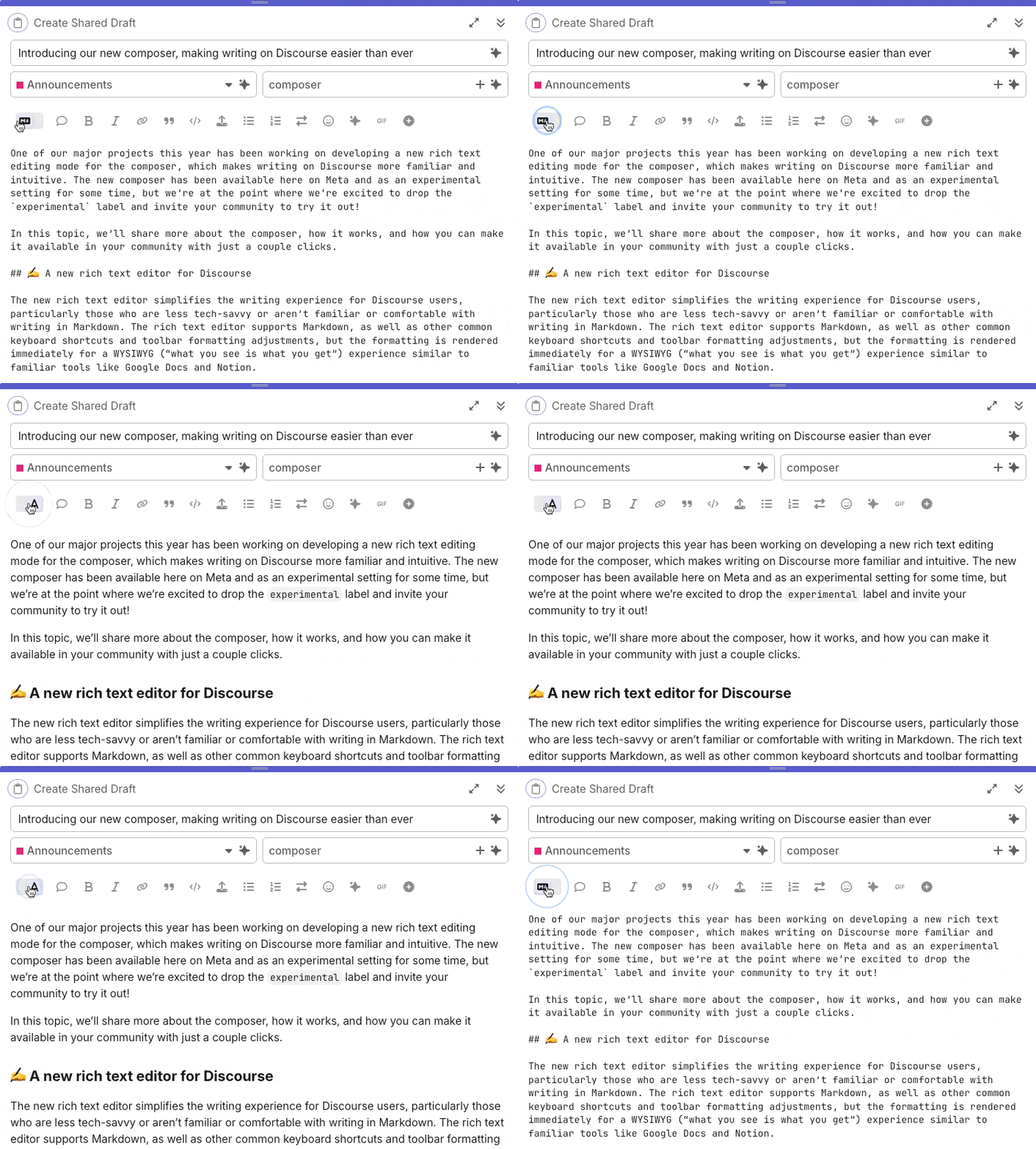
The link is here: For most things, the default rich text editor interface is good. Good job discourse team.
We usually upgrade every month or two, but this was one of the major upgrades.
We have been quite unique with Google Auth sign in and also emoji reactions, but now these features are standard for all “discourse” software users.
If you didn’t know this, “discourse” is the name of the software we use. Normally the urls start with “discourse” to make discourseDotWebsiteName. However, classical theravada has only one purpose. I’m not sure if that was a good decision, but I’m “old school” and wanted a shorter name to type when we started the group. So we modeled it more like dhwheel instead of suttacentral.